How to Integrate a Barcode Access Control Reader with an Existing System
How to Integrate a Barcode Access Control Reader with an Existing System
1. Introduction: Why Is System Integration Important?
Installing a barcode access control reader is only one part of building a complete access management solution.
In most commercial projects, the reader must communicate with existing door controllers, management software, network infrastructure, or third-party applications.
For system integrators and project developers, compatibility is one of the most important factors when selecting an access control device.
A reader with suitable hardware interfaces and communication protocols can reduce integration complexity and help improve system reliability.
This article explains how to integrate a barcode access control reader with an existing system.
2. Understand the Basic System Architecture
A typical barcode access control solution contains several components:
Barcode or QR code reader.
Access control controller.
Door lock, turnstile, or gate.
Management software or authentication server.
Network infrastructure.
Power supply.
A typical access workflow is:
Step 1: A user presents a QR code or barcode.
Step 2: The reader captures and decodes the credential.
Step 3: The credential information is transmitted to the controller or management platform.
Step 4: The system checks the user's authorization.
Step 5: If access is approved, the controller activates the door lock or gate.
Step 6: The system records the access event, if supported.
The exact workflow depends on whether authorization takes place inside the reader, through an external controller, or on a central server.
3. Common Communication Interfaces for Barcode Access Control Readers
Different projects require different communication methods.
3.1 Wiegand Interface
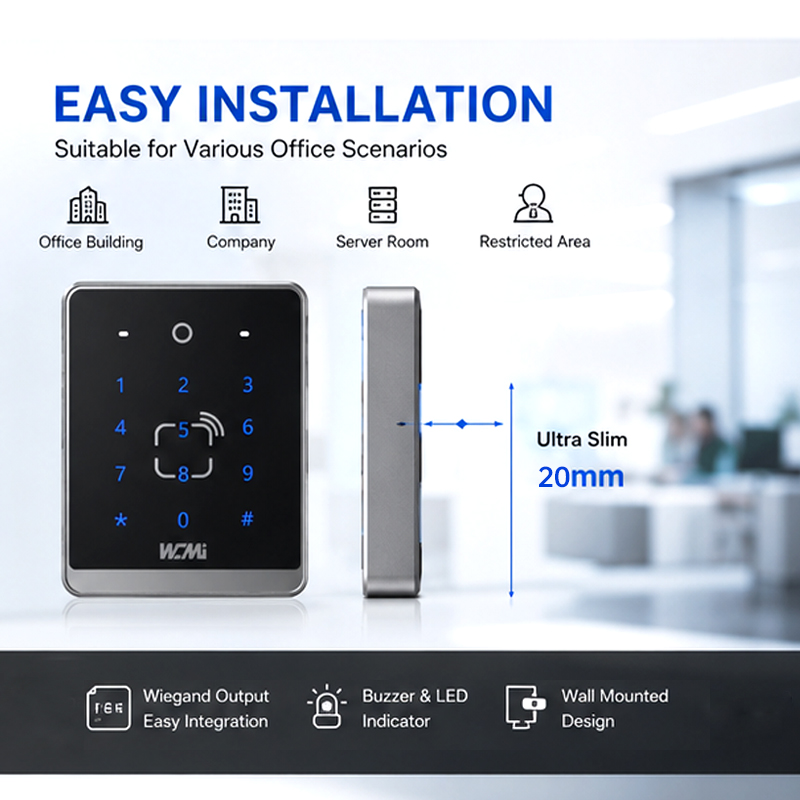
Wiegand is widely used in traditional access control systems.
It allows compatible readers to transmit credential data to an access controller.
Advantages include:
Compatibility with many traditional controllers.
Relatively simple integration.
Suitable for basic credential transmission.
Commonly used in existing door access installations.
Limitations:
Data transmission capabilities are relatively limited.
Standard Wiegand communication does not provide the same built-in security features as modern encrypted communication protocols.
Cable distance and electrical installation requirements must be considered.
For projects requiring stronger communication security, buyers should evaluate alternatives such as OSDP Secure Channel, where supported by both reader and controller.
3.2 TCP/IP Communication
TCP/IP allows compatible devices to communicate through an Ethernet network.
Potential applications include:
Communication with central management software.
Remote device configuration.
Network-based data transmission.
Integration with compatible access management platforms.
Before integration, confirm the device's IP configuration, port settings, data format, communication direction, and authentication requirements.
3.3 HTTP and HTTPS
HTTP-based integration can allow a reader or related access control device to exchange data with compatible web applications or backend services.
Potential functions may include:
Sending scan information to a server.
Receiving configuration commands.
Communicating with a web-based access management platform.
Connecting to third-party software.
HTTPS is recommended where supported and appropriately configured because it provides encrypted communication.
The exact API endpoints, request methods, authentication mechanism, and data formats must be confirmed with the device manufacturer.
3.4 MQTT Protocol
MQTT is a lightweight messaging protocol commonly used in IoT applications.
It can be useful when barcode access control devices need to communicate with a centralized IoT platform or messaging service.
Potential applications include:
Device status reporting.
Access event messaging.
Remote monitoring.
Communication between network-connected systems.
Important configuration parameters may include:
MQTT broker address.
Port number.
Client ID.
Username and password.
Topic structure.
Publish and subscribe permissions.
TLS configuration, where supported.
The specific MQTT functions depend on the product firmware and system architecture.
3.5 USB and UART
USB and UART are useful for integration with embedded systems, industrial computers, and compatible host devices.
Before selecting a connection method, confirm:
Voltage levels.
Pin definitions.
Data format.
Baud rate for UART.
Driver requirements.
Communication commands.
Host operating system compatibility.
These details should be obtained from the manufacturer's technical documentation.
4. How to Integrate a Barcode Reader with an Existing Access Control Controller
For projects using a traditional access controller, the integration process generally follows these steps.
Step 1: Check Controller Compatibility
Identify the controller model and its supported interfaces.
Check whether it supports Wiegand, OSDP, TCP/IP, or another communication method required by the reader.
Do not assume that two devices are compatible simply because they use the same connector.
Step 2: Confirm Credential Data Format
The barcode reader may decode a QR code into a string, while the access controller may expect a specific credential format or bit length.
Confirm:
Data length.
Character format.
Supported character set.
Output format.
Credential mapping.
Data conversion requirements.
For example, a QR code may contain a long alphanumeric visitor token, while a traditional Wiegand controller expects a fixed-format numerical credential.
Additional processing or a compatible controller may therefore be necessary.
Step 3: Configure the Reader
Depending on the model, configuration may include:
Enabling required barcode types.
Adjusting output formats.
Setting communication parameters.
Configuring prefixes and suffixes.
Selecting the required authentication mode.
Step 4: Connect the Reader and Controller
Follow the manufacturer's wiring diagram and electrical specifications.
Verify power supply, grounding, signal wiring, and communication settings before powering on the system.
Step 5: Test the Complete Access Workflow
Test different scenarios, including:
Valid credentials.
Invalid credentials.
Expired credentials.
Repeated scans.
Communication interruption.
Power recovery.
Door lock activation.
Access event recording.
The final test should reproduce the customer's actual operating environment.
5. How to Integrate a QR Code Reader with Third-Party Software
For more advanced projects, barcode readers may need to communicate directly with third-party applications or management platforms.
A typical integration process includes:
1. Obtain Technical Documentation
Request interface specifications, communication protocols, API documentation, and configuration instructions.
2. Define the Data Format
Determine what information the system needs to receive, such as:
QR code content.
Device ID.
Scan timestamp.
Credential status.
Access result.
Only data supported by the selected product should be included.
3. Develop the Communication Interface
The software developer implements the appropriate communication method, such as TCP/IP, HTTP/HTTPS, MQTT, or a supported SDK.
4. Connect with the Authentication Platform
The application checks the received credential against the access database or authentication service.
5. Return the Authorization Result
The system sends the appropriate result to the controller or reader, depending on the device architecture.
6. Complete Integration Testing
Verify communication stability, response handling, security, and recovery procedures.
6. Important Security Considerations During Integration
Security should be considered throughout the entire integration process.
Credential Protection
Avoid relying on easily copied static QR codes for high-security applications.
Where appropriate, use:
Time-limited credentials.
Single-use QR codes.
Dynamic QR codes.
Server-side verification.
Credential revocation mechanisms.
Network Security
Recommended measures include:
HTTPS or TLS encryption where supported.
Strong device authentication.
Secure password management.
Network access restrictions.
Firmware updates.
Appropriate firewall configuration.
Access Permission Management
Access permissions should be managed centrally where required.
The system should support appropriate procedures for expired credentials, lost cards, revoked QR codes, and employee departures.
Communication Security
For traditional controller connections, evaluate whether the selected communication interface provides adequate protection.
Where supported, secure protocols such as OSDP Secure Channel can offer stronger protection than unencrypted legacy communication methods.
Security capabilities must be confirmed for both the reader and controller.
7. Common Integration Problems and Solutions
| Common Problem | Possible Cause | Recommended Action |
|---|---|---|
| Reader cannot communicate with controller | Incorrect wiring or protocol configuration | Check wiring and interface compatibility |
| QR code scans but door does not open | Credential format mismatch or authorization failure | Check data format and controller settings |
| Long QR codes are not transmitted correctly | Controller data length limitation | Verify maximum data length and output support |
| Network device cannot connect | IP, port, or firewall configuration | Check network settings and connectivity |
| MQTT messages are not received | Incorrect broker or topic configuration | Verify broker credentials and topic permissions |
| System response is delayed | Network latency or server processing | Check communication and backend response times |
| Device disconnects intermittently | Power or network instability | Check power supply, cables, and network quality |
The root cause should be determined through systematic testing rather than assuming the scanner itself is defective.
8. Why Choose WCMI for Barcode Access Control Integration?
WCMI provides barcode scanning and access control products for B2B customers, system integrators, and project developers.
Our product development and customization capabilities can support project requirements involving:
QR code and 1D barcode recognition.
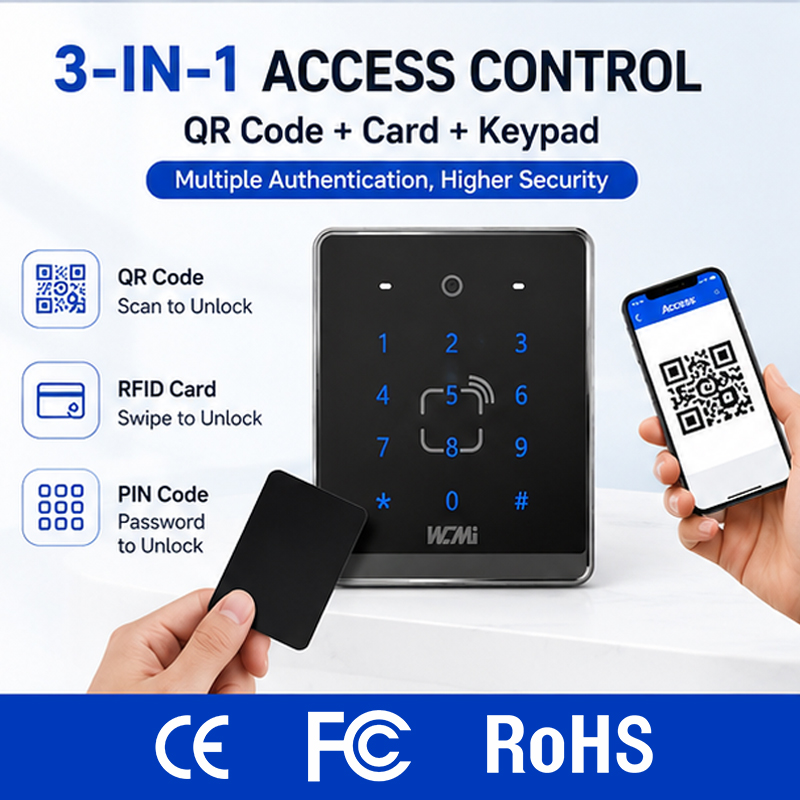
RFID card authentication.
Keypad-based access control.
Linux-based product configurations on applicable models.
Ethernet and TCP/IP communication.
HTTP/HTTPS and MQTT integration on applicable configurations.
Wiegand output on supported models.
Hardware and firmware customization.
OEM/ODM manufacturing.
Our technical team can evaluate your existing controller, software platform, and communication requirements to help identify a suitable product configuration.
Planning a barcode access control integration project?
Contact WCMI and provide:
Your existing access controller model.
Required communication protocol.
Barcode and QR code specifications.
Software platform or operating system.
Required authentication methods.
Estimated project quantity.
We can discuss technical compatibility, sample evaluation, and customization possibilities.
Website: https://www.wcmiscan.com/
Conclusion
Successful barcode access control integration requires more than selecting a reader. It involves matching scanning technology, communication interfaces, controllers, software, and security requirements.
Working with a manufacturer that understands both barcode scanning technology and access control integration can help reduce development risks and improve project implementation efficiency.