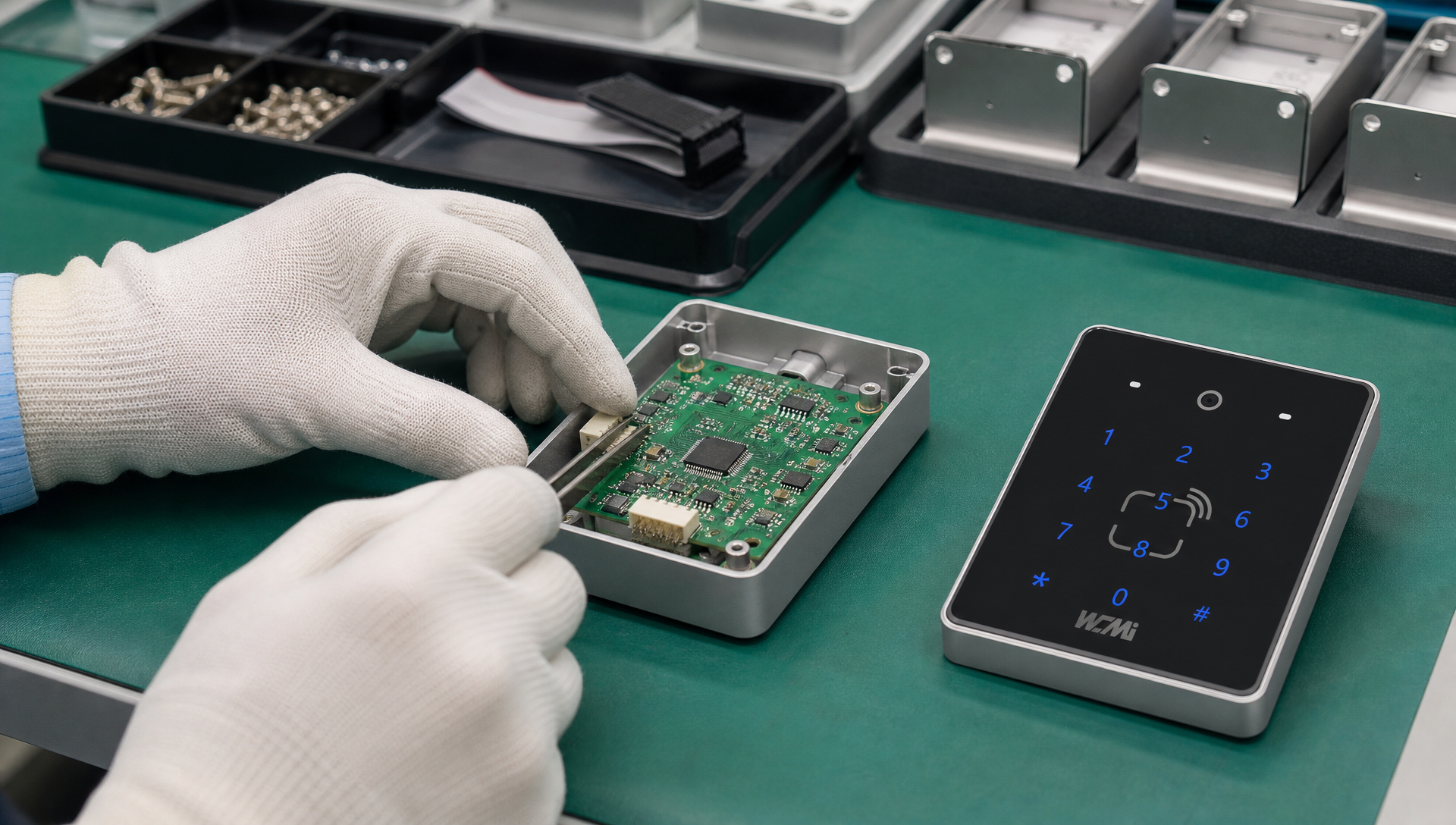
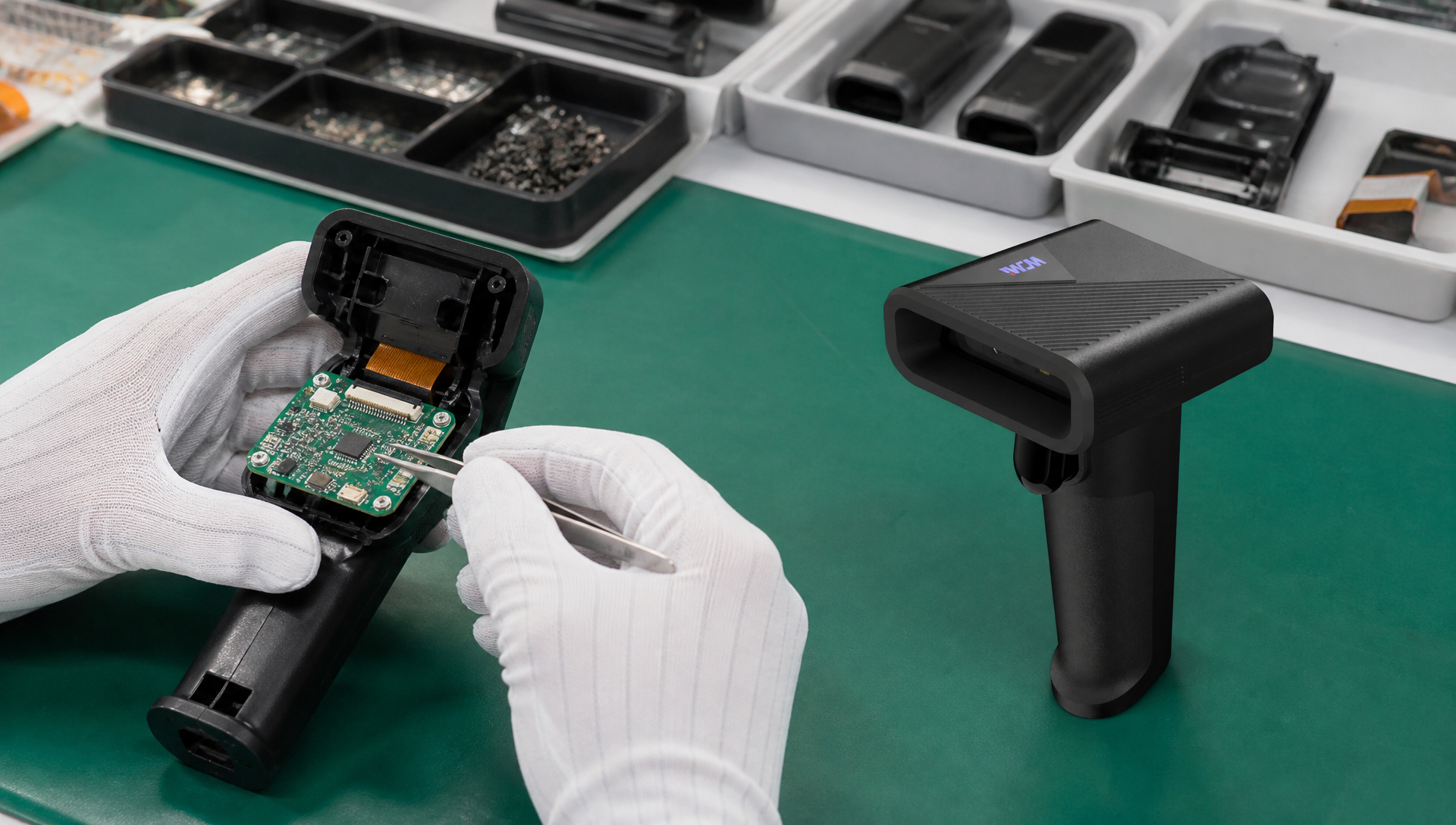
How to Choose a QR Code Access Control Reader for Commercial Projects
1. Why Are QR Code Access Control Readers Becoming Popular?
Traditional access control systems often rely on physical cards, keys, or PIN codes.
Although these methods remain useful, QR code access technology provides another flexible option for modern commercial access management.
A QR code can be generated digitally and delivered through email, mobile applications, websites, or visitor management platforms.
This makes QR code access particularly useful for temporary visitors, hotel guests, event participants, and employees using digital credentials.
For commercial projects, selecting the right QR code access control reader is essential for reliable performance and successful system integration.
2. Understand Your Application Scenario First
Before selecting a QR code access control reader, identify the environment in which it will operate.
2.1 Office Buildings
Office buildings may use QR code readers for:
Employee access.
Visitor registration.
Temporary access permissions.
Meeting room access.
Building entrance management.
Recommended considerations:
Fast and reliable QR code recognition.
Compatibility with existing access controllers.
Network communication.
Compact and professional appearance.
2.2 Hotels
Hotels can integrate QR code recognition into compatible guest access workflows.
Potential functions include:
Digital guest credentials.
Temporary access authorization.
Self-service check-in integration.
Integration with hotel management systems.
The reader must be compatible with the hotel's access management platform and door lock architecture.
2.3 Schools and Universities
Educational institutions may use QR code access for:
Student identification.
Visitor registration.
Campus entrance management.
Library or restricted-area access.
Event attendance verification.
For these applications, administrators may need flexible credential management and access records.
2.4 Factories and Warehouses
Factories can use QR code readers to manage access to production areas, warehouses, and restricted zones.
Important requirements may include:
Stable operation.
Durable enclosure design.
Compatibility with existing controllers.
Reliable network communication.
Suitability for the actual installation environment.
2.5 Transportation and Turnstile Systems
QR code readers can be integrated into compatible turnstiles and ticket validation systems.
Key considerations include:
Reading speed.
Screen-reading capability.
Scanning angle.
Mechanical installation dimensions.
Communication with the gate controller.
Performance under continuous use.
3. Seven Important Factors When Choosing a QR Code Access Control Reader
Factor 1: QR Code Scanning Performance
Scanning performance is one of the most important selection criteria.
Check:
Recognition speed.
Supported QR code sizes.
Reading distance.
Reading angle.
Screen and paper code recognition.
Performance under different lighting conditions.
Compatibility with different mobile phone displays.
For turnstile projects, the reader should be tested using the actual QR code format and display devices expected in the application.
Factor 2: Supported Authentication Methods
Some projects require QR code authentication only, while others need multiple authentication methods.
Depending on the model, available functions may include:
QR code scanning.
1D barcode recognition.
IC card reading.
CPU card reading.
ID card reading.
PIN code entry through a keypad.
Combining multiple authentication methods can support different user groups and access scenarios.
Factor 3: Communication Interfaces and Protocols
Communication compatibility is critical for integration.
Depending on the reader configuration, possible options include:
| Interface or Protocol | Typical Application |
|---|---|
| Ethernet | Network communication |
| TCP/IP | Communication with compatible controllers or software |
| Wiegand | Traditional access control controller integration |
| USB | Host device communication |
| UART | Embedded system integration |
| HTTP/HTTPS | Application and server communication |
| MQTT | Messaging between compatible network devices |
Not every product supports every interface or protocol.
Buyers should confirm whether the reader supports their existing controller and software architecture.
Factor 4: Housing Material and Protection
Commercial readers may use ABS plastic, PC/ABS, aluminum alloy, or stainless steel.
The correct selection depends on the installation environment.
For indoor office buildings, appearance and installation design may be important.
For factories or outdoor installations, buyers should additionally evaluate:
IP protection rating.
Operating temperature.
Humidity resistance.
UV exposure.
Impact resistance.
Corrosion resistance.
Do not assume a metal housing automatically provides waterproof or dustproof protection. These characteristics must be verified separately.
Factor 5: Installation Dimensions and Design
Before ordering, confirm:
Product height, width, and thickness.
Wall mounting or embedded installation.
Cable outlet position.
Mounting hole dimensions.
Scanning window orientation.
Compatibility with existing access control panels.
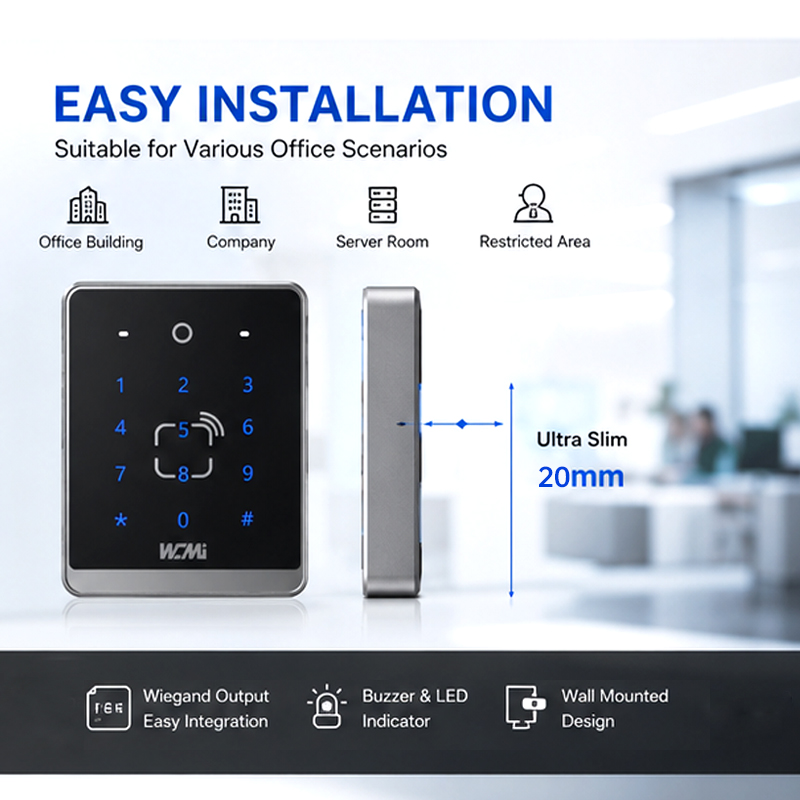
For projects with limited installation space, a slim and compact reader may be preferable.
Factor 6: Software Integration and Security
A QR code reader is only one part of an access control system.
The complete solution should include appropriate credential validation, access permission management, and communication security.
Consider:
Compatibility with the existing management platform.
Credential expiration.
Single-use or time-limited QR codes.
Authentication server communication.
Access logs.
Administrative permissions.
Secure communication where supported.
Static QR codes can be copied or shared. For applications requiring stronger security, dynamic credentials and server-side verification should be considered.
Factor 7: Manufacturer Customization Capability
For large commercial projects, standard products may not satisfy every requirement.
A manufacturer with OEM/ODM capabilities may support:
Customized logo and packaging.
Housing dimensions and colors.
Scanning engine selection.
Multiple authentication functions.
Interface customization.
Firmware configuration.
Software and protocol integration.
Discuss these requirements before ordering samples to avoid unnecessary redesign costs.
4. What Questions Should You Ask Before Purchasing?
Before selecting a QR code access control reader, ask the supplier:
Does the reader support QR codes displayed on mobile phone screens?
Which 1D and 2D barcode formats are supported?
Can it support QR code and RFID card authentication together?
Does it support Wiegand output or TCP/IP communication?
Is HTTP/HTTPS or MQTT integration available?
Can the firmware be customized?
Can the housing dimensions and appearance be customized?
What is the MOQ for OEM/ODM orders?
Can samples be provided for integration testing?
What quality inspection and warranty arrangements are available?
These questions help buyers compare suppliers based on technical suitability rather than price alone.
5. Why Choose WCMI as Your QR Code Access Control Supplier?
WCMI provides barcode scanning and access control solutions for international B2B customers.
Our product and customization capabilities can support project requirements involving:
QR code and barcode recognition.
IC card authentication.
Keypad-based access control.
Ethernet and network communication options.
TCP/IP, HTTP/HTTPS, and MQTT functions on applicable configurations.
Hardware and software customization.
OEM/ODM manufacturing.
We work with customers who need customized access control readers for office buildings, hotels, schools, factories, and other commercial applications.
Need a QR code access control reader for your project?
Send WCMI your application scenario, technical requirements, and estimated quantity. Our team can help evaluate product compatibility and customization options.
Website: https://www.wcmiscan.com/
How to Integrate a Barcode Access Control Reader with an Existing System
1. Introduction: Why Is System Integration Important?
Installing a barcode access control reader is only one part of building a complete access management solution.
In most commercial projects, the reader must communicate with existing door controllers, management software, network infrastructure, or third-party applications.
For system integrators and project developers, compatibility is one of the most important factors when selecting an access control device.
A reader with suitable hardware interfaces and communication protocols can reduce integration complexity and help improve system reliability.
This article explains how to integrate a barcode access control reader with an existing system.
2. Understand the Basic System Architecture
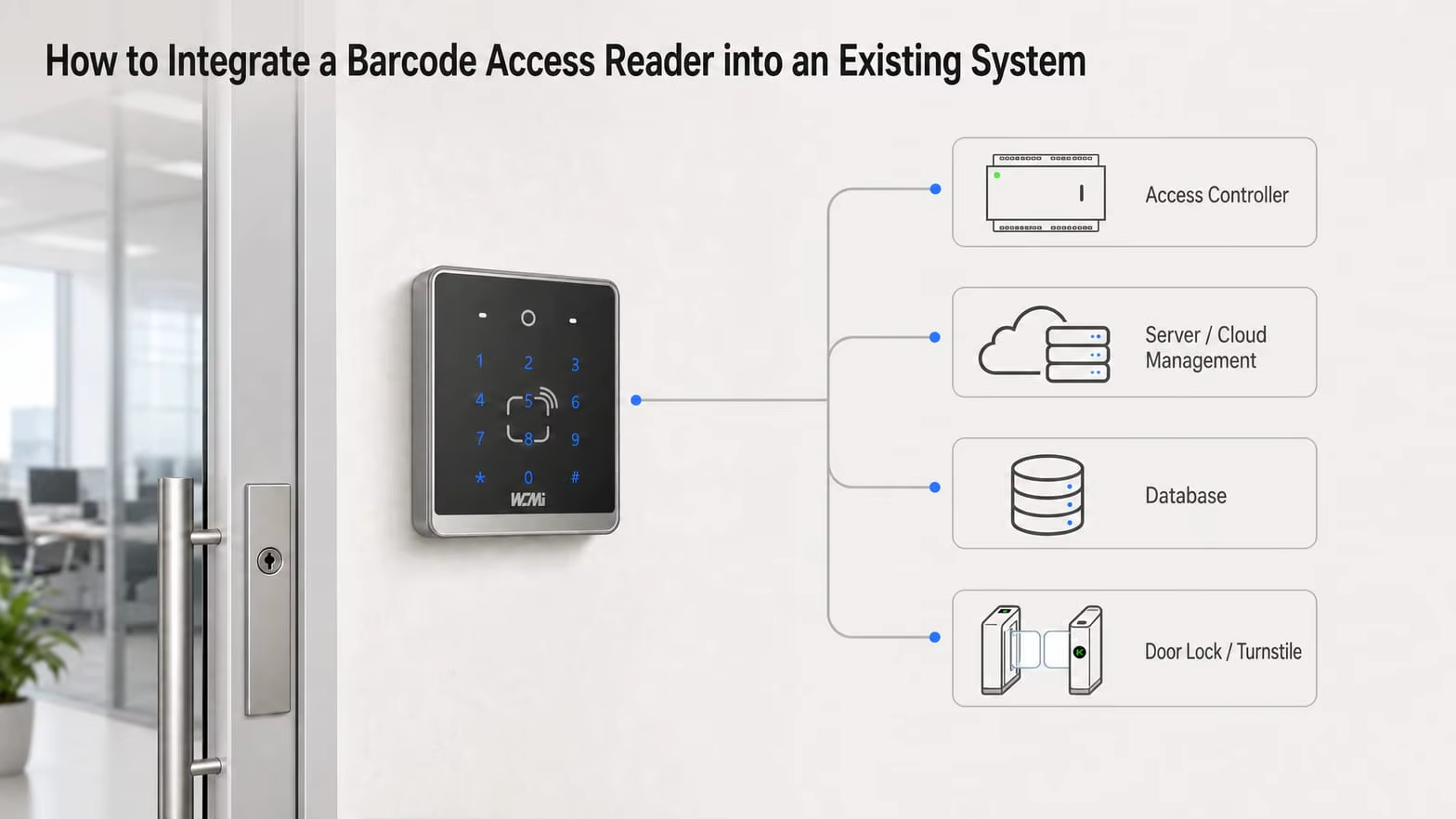
A typical barcode access control solution contains several components:
Barcode or QR code reader.
Access control controller.
Door lock, turnstile, or gate.
Management software or authentication server.
Network infrastructure.
Power supply.
A typical access workflow is:
Step 1: A user presents a QR code or barcode.
Step 2: The reader captures and decodes the credential.
Step 3: The credential information is transmitted to the controller or management platform.
Step 4: The system checks the user's authorization.
Step 5: If access is approved, the controller activates the door lock or gate.
Step 6: The system records the access event, if supported.
The exact workflow depends on whether authorization takes place inside the reader, through an external controller, or on a central server.
3. Common Communication Interfaces for Barcode Access Control Readers
Different projects require different communication methods.
3.1 Wiegand Interface
Wiegand is widely used in traditional access control systems.
It allows compatible readers to transmit credential data to an access controller.
Advantages include:
Compatibility with many traditional controllers.
Relatively simple integration.
Suitable for basic credential transmission.
Commonly used in existing door access installations.
Limitations:
Data transmission capabilities are relatively limited.
Standard Wiegand communication does not provide the same built-in security features as modern encrypted communication protocols.
Cable distance and electrical installation requirements must be considered.
For projects requiring stronger communication security, buyers should evaluate alternatives such as OSDP Secure Channel, where supported by both reader and controller.
3.2 TCP/IP Communication
TCP/IP allows compatible devices to communicate through an Ethernet network.
Potential applications include:
Communication with central management software.
Remote device configuration.
Network-based data transmission.
Integration with compatible access management platforms.
Before integration, confirm the device's IP configuration, port settings, data format, communication direction, and authentication requirements.
3.3 HTTP and HTTPS
HTTP-based integration can allow a reader or related access control device to exchange data with compatible web applications or backend services.
Potential functions may include:
Sending scan information to a server.
Receiving configuration commands.
Communicating with a web-based access management platform.
Connecting to third-party software.
HTTPS is recommended where supported and appropriately configured because it provides encrypted communication.
The exact API endpoints, request methods, authentication mechanism, and data formats must be confirmed with the device manufacturer.
3.4 MQTT Protocol
MQTT is a lightweight messaging protocol commonly used in IoT applications.
It can be useful when barcode access control devices need to communicate with a centralized IoT platform or messaging service.
Potential applications include:
Device status reporting.
Access event messaging.
Remote monitoring.
Communication between network-connected systems.
Important configuration parameters may include:
MQTT broker address.
Port number.
Client ID.
Username and password.
Topic structure.
Publish and subscribe permissions.
TLS configuration, where supported.
The specific MQTT functions depend on the product firmware and system architecture.
3.5 USB and UART
USB and UART are useful for integration with embedded systems, industrial computers, and compatible host devices.
Before selecting a connection method, confirm:
Voltage levels.
Pin definitions.
Data format.
Baud rate for UART.
Driver requirements.
Communication commands.
Host operating system compatibility.
These details should be obtained from the manufacturer's technical documentation.
4. How to Integrate a Barcode Reader with an Existing Access Control Controller
For projects using a traditional access controller, the integration process generally follows these steps.
Step 1: Check Controller Compatibility
Identify the controller model and its supported interfaces.
Check whether it supports Wiegand, OSDP, TCP/IP, or another communication method required by the reader.
Do not assume that two devices are compatible simply because they use the same connector.
Step 2: Confirm Credential Data Format
The barcode reader may decode a QR code into a string, while the access controller may expect a specific credential format or bit length.
Confirm:
Data length.
Character format.
Supported character set.
Output format.
Credential mapping.
Data conversion requirements.
For example, a QR code may contain a long alphanumeric visitor token, while a traditional Wiegand controller expects a fixed-format numerical credential.
Additional processing or a compatible controller may therefore be necessary.
Step 3: Configure the Reader
Depending on the model, configuration may include:
Enabling required barcode types.
Adjusting output formats.
Setting communication parameters.
Configuring prefixes and suffixes.
Selecting the required authentication mode.
Step 4: Connect the Reader and Controller
Follow the manufacturer's wiring diagram and electrical specifications.
Verify power supply, grounding, signal wiring, and communication settings before powering on the system.
Step 5: Test the Complete Access Workflow
Test different scenarios, including:
Valid credentials.
Invalid credentials.
Expired credentials.
Repeated scans.
Communication interruption.
Power recovery.
Door lock activation.
Access event recording.
The final test should reproduce the customer's actual operating environment.
5. How to Integrate a QR Code Reader with Third-Party Software
For more advanced projects, barcode readers may need to communicate directly with third-party applications or management platforms.
A typical integration process includes:
1. Obtain Technical Documentation
Request interface specifications, communication protocols, API documentation, and configuration instructions.
2. Define the Data Format
Determine what information the system needs to receive, such as:
QR code content.
Device ID.
Scan timestamp.
Credential status.
Access result.
Only data supported by the selected product should be included.
3. Develop the Communication Interface
The software developer implements the appropriate communication method, such as TCP/IP, HTTP/HTTPS, MQTT, or a supported SDK.
4. Connect with the Authentication Platform
The application checks the received credential against the access database or authentication service.
5. Return the Authorization Result
The system sends the appropriate result to the controller or reader, depending on the device architecture.
6. Complete Integration Testing
Verify communication stability, response handling, security, and recovery procedures.
6. Important Security Considerations During Integration
Security should be considered throughout the entire integration process.
Credential Protection
Avoid relying on easily copied static QR codes for high-security applications.
Where appropriate, use:
Time-limited credentials.
Single-use QR codes.
Dynamic QR codes.
Server-side verification.
Credential revocation mechanisms.
Network Security
Recommended measures include:
HTTPS or TLS encryption where supported.
Strong device authentication.
Secure password management.
Network access restrictions.
Firmware updates.
Appropriate firewall configuration.
Access Permission Management
Access permissions should be managed centrally where required.
The system should support appropriate procedures for expired credentials, lost cards, revoked QR codes, and employee departures.
Communication Security
For traditional controller connections, evaluate whether the selected communication interface provides adequate protection.
Where supported, secure protocols such as OSDP Secure Channel can offer stronger protection than unencrypted legacy communication methods.
Security capabilities must be confirmed for both the reader and controller.
7. Common Integration Problems and Solutions
| Common Problem | Possible Cause | Recommended Action |
|---|---|---|
| Reader cannot communicate with controller | Incorrect wiring or protocol configuration | Check wiring and interface compatibility |
| QR code scans but door does not open | Credential format mismatch or authorization failure | Check data format and controller settings |
| Long QR codes are not transmitted correctly | Controller data length limitation | Verify maximum data length and output support |
| Network device cannot connect | IP, port, or firewall configuration | Check network settings and connectivity |
| MQTT messages are not received | Incorrect broker or topic configuration | Verify broker credentials and topic permissions |
| System response is delayed | Network latency or server processing | Check communication and backend response times |
| Device disconnects intermittently | Power or network instability | Check power supply, cables, and network quality |
The root cause should be determined through systematic testing rather than assuming the scanner itself is defective.
8. Why Choose WCMI for Barcode Access Control Integration?
WCMI provides barcode scanning and access control products for B2B customers, system integrators, and project developers.
Our product development and customization capabilities can support project requirements involving:
QR code and 1D barcode recognition.
RFID card authentication.
Keypad-based access control.
Linux-based product configurations on applicable models.
Ethernet and TCP/IP communication.
HTTP/HTTPS and MQTT integration on applicable configurations.
Wiegand output on supported models.
Hardware and firmware customization.
OEM/ODM manufacturing.
Our technical team can evaluate your existing controller, software platform, and communication requirements to help identify a suitable product configuration.
Planning a barcode access control integration project?
Contact WCMI and provide:
Your existing access controller model.
Required communication protocol.
Barcode and QR code specifications.
Software platform or operating system.
Required authentication methods.
Estimated project quantity.
We can discuss technical compatibility, sample evaluation, and customization possibilities.
Website: https://www.wcmiscan.com/
Conclusion
Successful barcode access control integration requires more than selecting a reader. It involves matching scanning technology, communication interfaces, controllers, software, and security requirements.
Working with a manufacturer that understands both barcode scanning technology and access control integration can help reduce development risks and improve project implementation efficiency.
A Practical Guide for Barcode Access Control Buyers
1. Introduction: Why Do FOB and CIF Matter in International Purchasing?
When purchasing barcode access control readers, QR code scanners, or other electronic devices from overseas manufacturers, international buyers need to understand more than the product price.
Shipping terms determine which party arranges transportation, pays certain logistics costs, and assumes transportation risks at specific stages.
Two commonly used trade terms are FOB and CIF.
Understanding their differences helps importers calculate total purchasing costs, avoid unexpected shipping expenses, and arrange international transportation more efficiently.
This guide explains FOB and CIF from the perspective of barcode access control buyers.
2. What Does FOB Mean?
FOB stands for Free On Board.
Under FOB Incoterms® 2020, the seller delivers the goods on board the vessel nominated by the buyer at the agreed port of shipment.
Once the goods are on board, the risk of loss or damage transfers from the seller to the buyer.
Seller's Responsibilities Under FOB
The seller generally needs to:
Prepare the goods according to the purchase agreement.
Complete export packaging.
Arrange delivery to the agreed port.
Complete export customs formalities.
Load the goods on board the nominated vessel.
Provide the agreed shipping documents.
Buyer's Responsibilities Under FOB
The buyer generally needs to:
Nominate the carrier or shipping arrangement.
Arrange and pay for the main ocean freight.
Arrange cargo insurance if required.
Handle import customs clearance.
Pay applicable import duties and taxes.
Arrange destination transportation.
Example of FOB Purchasing
Suppose a buyer purchases 1,000 barcode access control readers from a manufacturer in China.
The agreed price is:
FOB Shanghai Port: USD 20 per unit
The product value is:
1,000 × USD 20 = USD 20,000
The buyer separately arranges the ocean freight, insurance if needed, import customs clearance, duties, and destination delivery.
The final landed cost will therefore be higher than the FOB product value.
3. What Does CIF Mean?
CIF stands for Cost, Insurance and Freight.
Under CIF Incoterms® 2020, the seller arranges and pays for the cost of carriage and the required minimum cargo insurance to the agreed destination port.
However, an important point is often misunderstood:
Under CIF, the transportation risk transfers to the buyer when the goods are loaded on board the vessel at the port of shipment, not when the goods arrive at the destination port.
Seller's Responsibilities Under CIF
The seller generally needs to:
Prepare and package the goods.
Complete export customs formalities.
Deliver and load the goods on board the vessel.
Arrange and pay for ocean freight to the named destination port.
Obtain the required minimum cargo insurance.
Provide the agreed shipping documents.
Buyer's Responsibilities Under CIF
The buyer generally needs to:
Pay the agreed CIF price.
Handle import customs clearance.
Pay import duties and taxes.
Pay destination charges not included in the contract.
Arrange local transportation after arrival.
Consider whether additional insurance coverage is necessary.
CIF requires minimum insurance coverage under the applicable Incoterms® 2020 rule. Buyers should confirm the insurance scope and consider whether additional protection is appropriate.
4. FOB vs CIF: Main Differences
| Comparison | FOB | CIF |
|---|---|---|
| Main ocean freight | Buyer arranges and pays | Seller arranges and pays |
| Cargo insurance | Buyer arranges if desired | Seller obtains required minimum coverage |
| Export clearance | Seller | Seller |
| Import clearance | Buyer | Buyer |
| Import duties and taxes | Buyer | Buyer |
| Risk transfer | When goods are on board at shipment port | When goods are on board at shipment port |
| Freight control | More control for buyer | More control for seller |
Both terms are intended for sea and inland waterway transport.
For containerized cargo delivered to a container terminal before loading, FCA may be a more appropriate term than FOB, depending on the actual delivery arrangement.
5. Which Is Better for Barcode Access Control Buyers: FOB or CIF?
There is no universally better option. The choice depends on the buyer's logistics experience, shipping arrangements, and purchasing preferences.
Choose FOB If:
You have your own freight forwarder.
You purchase products from multiple suppliers.
You want greater control over ocean freight.
You have negotiated competitive freight rates.
You prefer managing your own cargo insurance.
Choose CIF If:
You do not have an established freight forwarder.
You prefer the supplier to arrange the main ocean freight.
You want a quotation that includes freight and minimum insurance to the named destination port.
You are purchasing smaller shipments and want a simpler freight arrangement.
However, always compare destination charges and local delivery expenses before choosing.
6. What Is the International Sea Freight Process?
For barcode access control products exported from China, a typical sea freight process includes:
Step 1: Confirm the Purchase Order
Confirm product models, quantities, unit prices, packaging, and agreed Incoterms.
Step 2: Complete Production
The manufacturer produces the goods according to the approved specifications.
Step 3: Quality Inspection
Complete agreed functional testing, appearance inspection, and packaging verification.
Step 4: Arrange Shipping
Under FOB, the buyer or their forwarder normally arranges the main ocean freight.
Under CIF, the seller arranges the main ocean freight and required insurance.
Step 5: Export Customs Declaration
Prepare the commercial invoice, packing list, and required export documents.
Step 6: Vessel Loading
The goods are loaded onto the vessel and the relevant shipping documents are issued.
Step 7: Arrival at Destination Port
The shipping company or forwarder provides arrival information.
Step 8: Import Customs Clearance
The buyer or appointed customs broker completes import declarations and pays applicable duties and taxes.
Step 9: Final Delivery
The cargo is collected and transported to the buyer's warehouse or project location.
7. What Documents Are Required for Importing Barcode Access Control Products?
Common documents may include:
Commercial Invoice.
Packing List.
Bill of Lading.
Certificate of Origin, when applicable.
Product specifications.
Relevant compliance documents.
Import permits or other supporting documents, if required.
The exact documentation depends on the destination market and the product classification.
Buyers should confirm the appropriate HS code and import requirements with their customs broker before shipment.
Do not assume that all barcode scanners and access control readers share the same HS classification.
8. Common Mistakes Buyers Should Avoid
Mistake 1: Comparing FOB and CIF Unit Prices Directly
CIF includes main freight and minimum insurance costs that are generally excluded from FOB. Compare the complete landed cost instead.
Mistake 2: Assuming CIF Means the Seller Bears All Shipping Risks
Under CIF, risk transfers when the goods are loaded on board at the shipment port.
Mistake 3: Ignoring Destination Charges
Port handling, customs clearance, duties, taxes, and local delivery can significantly affect the final cost.
Mistake 4: Using Incorrect Product Classification
Incorrect HS codes or product descriptions may cause customs delays or additional costs.
Mistake 5: Failing to Confirm the Incoterms Version
Always specify the named port and Incoterms® version in the contract.
For example:
FOB Shanghai Port, Incoterms® 2020
CIF Los Angeles Port, Incoterms® 2020
9. How Can WCMI Support International Buyers?
WCMI supplies barcode scanning and access control products to international B2B customers.
For export orders, buyers can discuss:
Product quotations.
OEM/ODM customization.
Sample arrangements.
Production schedules.
Export packaging.
FOB or CIF quotation options, where available.
Shipping documentation.
Technical specifications and product compliance information.
We recommend providing your destination port, order quantity, and required product configuration when requesting a quotation.
Request an FOB or CIF quotation from WCMI today.
Website: https://www.wcmiscan.com/
Trade note: This article is general purchasing guidance, not a substitute for the full Incoterms® 2020 rules or professional customs and logistics advice.
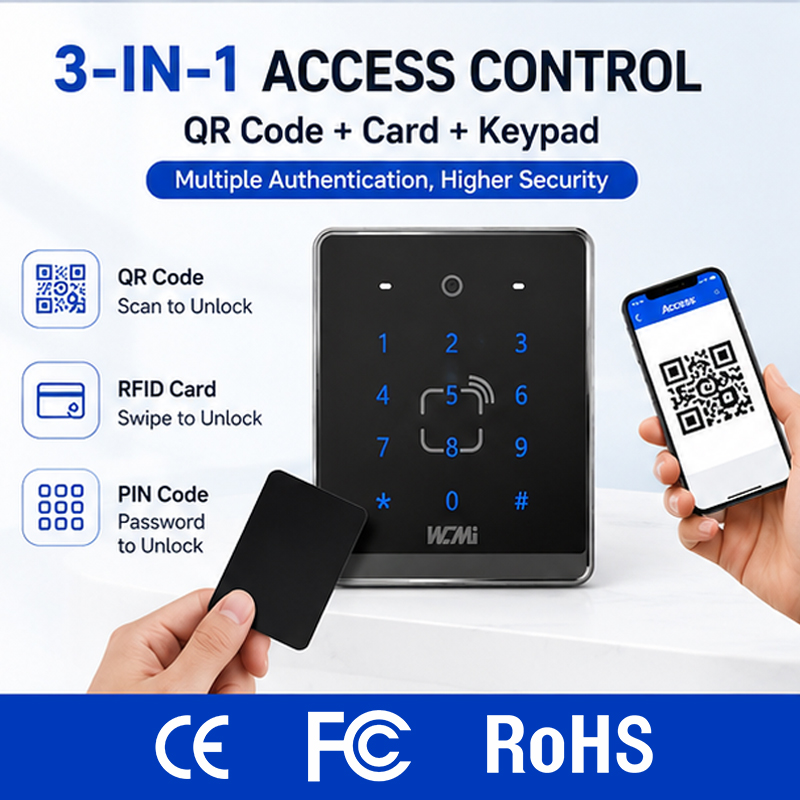
1. Introduction: Why OEM and ODM Matter in Access Control Manufacturing
The global access control industry continues to adopt digital identification technologies, including QR codes, mobile credentials, RFID cards, and network-connected authentication devices.
For distributors, security equipment brands, and system integrators, developing a customized barcode access control product can create a competitive advantage.
However, buyers often face an important decision:
Should you choose OEM or ODM manufacturing?
Both models allow businesses to work with professional manufacturers, but they differ in product ownership, customization scope, engineering investment, and development responsibilities.
Understanding these differences can help you select the right manufacturing solution.
2. What Is OEM Barcode Access Control Manufacturing?
OEM stands for Original Equipment Manufacturer.
In an OEM arrangement, the manufacturer produces products according to the buyer's specifications or an agreed existing product design.
For barcode access control products, OEM services may include:
Custom brand logo printing.
Customized product labels.
Customized packaging and manuals.
Housing color adjustments.
Product configuration options.
Firmware settings.
Specific interface or connector arrangements, where supported.
Advantages of OEM Manufacturing
Lower Development Investment
OEM projects often use an existing product platform, reducing the need for new product development.
Faster Time to Market
Because the hardware platform is already available, OEM orders can generally move through evaluation and production faster than fully new designs.
Brand Development
Distributors and wholesalers can sell products under their own brand without establishing their own manufacturing facilities.
Lower Technical Complexity
OEM projects are suitable for buyers who have clear requirements but do not need complete control over the product architecture.
Who Should Choose OEM?
OEM is suitable for:
Barcode scanner distributors.
Security equipment wholesalers.
Access control solution providers.
Established brands expanding their product range.
Buyers seeking customized branding and packaging.
3. What Is ODM Barcode Access Control Manufacturing?
ODM stands for Original Design Manufacturer.
In an ODM project, the manufacturer provides product design and development capabilities to create or modify a product according to the buyer's application and commercial requirements.
For barcode access control devices, ODM customization may involve:
New product appearance and industrial design.
Customized enclosure dimensions.
Different scanning engine configurations.
Integrated barcode and RFID recognition.
Keypad and display configurations.
Hardware circuit modifications.
Firmware and software development.
Communication protocol customization.
Mechanical structure and installation design.
The exact scope depends on the manufacturer's engineering capabilities and the project agreement.
Advantages of ODM Manufacturing
More Product Differentiation
Buyers can develop products that better match their target market and application scenarios.
Customized Technical Functions
Hardware and software can be evaluated together to meet specific project requirements.
Greater Design Flexibility
The product's appearance, dimensions, installation structure, and functional configuration can be customized.
Long-Term Product Development
ODM cooperation can support ongoing product improvements and the development of new product versions.
Who Should Choose ODM?
ODM is suitable for:
Access control brands.
Large system integrators.
Security solution developers.
Project contractors with special technical requirements.
Companies developing their own product platforms.
4. OEM vs ODM: Key Differences
| Comparison | OEM | ODM |
|---|---|---|
| Product platform | Existing or buyer-specified design | Manufacturer-developed or jointly developed design |
| Logo customization | Available | Available |
| Packaging customization | Available | Available |
| Hardware customization | Limited or project-dependent | More flexible |
| Software customization | Configuration-dependent | Can involve deeper development |
| Development investment | Generally lower | Generally higher |
| Development time | Usually shorter | Usually longer |
| MOQ | Depends on product and customization | Depends on design and component requirements |
| Best for | Distributors and established brands | Brands and project developers |
The actual costs and lead times depend on the project scope, engineering resources, components, tooling, and production arrangements.
5. What Should Buyers Consider Before Starting an OEM/ODM Project?
5.1 Define Your Application
Start by identifying where the device will be used.
Examples include:
Office building access control.
Hotel entrance management.
School and campus access.
Factory personnel management.
QR code turnstile systems.
Visitor registration systems.
Different environments may require different scanning performance, enclosure designs, communication interfaces, and installation methods.
5.2 Confirm Technical Requirements
Prepare a technical requirement document covering:
Supported barcode formats.
QR code screen-reading capability.
RFID card types and frequencies.
Keypad or PIN authentication.
Communication interfaces.
TCP/IP, HTTP/HTTPS, or MQTT requirements, where applicable.
Wiegand compatibility, where applicable.
Power supply.
Operating temperature.
Installation dimensions.
The manufacturer can use this information to evaluate the feasibility and cost of customization.
5.3 Understand MOQ Requirements
MOQ is not fixed across all OEM/ODM products.
Factors affecting MOQ include:
Existing component inventory.
Custom housing or tooling.
Special electronic components.
Customized packaging.
Firmware development.
Production setup and testing costs.
Buyers should distinguish between sample MOQ, initial production MOQ, and long-term order quantities.
5.4 Confirm IP Ownership
Before beginning an ODM project, both parties should clarify:
Who owns the product appearance design?
Who owns newly developed firmware?
Who owns the hardware drawings?
Can the manufacturer use the design for other customers?
Are exclusivity arrangements required?
What happens to tooling after the project ends?
A written NDA and development agreement can help protect both parties.
6. What Is the Typical OEM/ODM Development Process?
A professional manufacturing workflow generally includes:
Step 1: Requirement Discussion
The buyer provides product requirements, application scenarios, target quantities, and market information.
Step 2: Technical Evaluation
The manufacturer evaluates hardware compatibility, software requirements, and customization feasibility.
Step 3: Quotation
Both parties confirm sample costs, tooling fees, MOQ, unit prices, and estimated lead times.
Step 4: Prototype Development
Samples or engineering prototypes are prepared for testing.
Step 5: Sample Approval
The buyer evaluates product appearance, performance, communication, and system compatibility.
Step 6: Mass Production
Production begins according to the approved specifications.
Step 7: Quality Inspection and Shipment
The products undergo agreed inspections before packaging and international delivery.
7. Why Work with WCMI for OEM/ODM Barcode Access Control?
WCMI is a barcode scanning and access control product manufacturer with factory and technical development capabilities.
We support OEM/ODM discussions for customers seeking:
Customized barcode access control devices.
QR code and card recognition solutions.
Keypad-based authentication configurations.
Hardware and software customization.
Communication interface integration.
Customized product appearance and branding.
Project-based product development.
Our goal is to help distributors, brands, and system integrators develop suitable products for their target markets.
Ready to develop your own barcode access control product?
Contact WCMI with your technical specifications, target quantity, and customization requirements to discuss the most suitable OEM or ODM solution.
Website: https://www.wcmiscan.com/